Verba Dei — Personal Bible Study with an AI Assistant Alongside
A Bible reader built for deep study: phrase-level highlighting, Markdown study notes, and an AI assistant that surfaces historical and original-language context without pulling you out of the text.
Full Stack · NextJS · TypeScript · Supabase · Claude API · PWA · Product Design
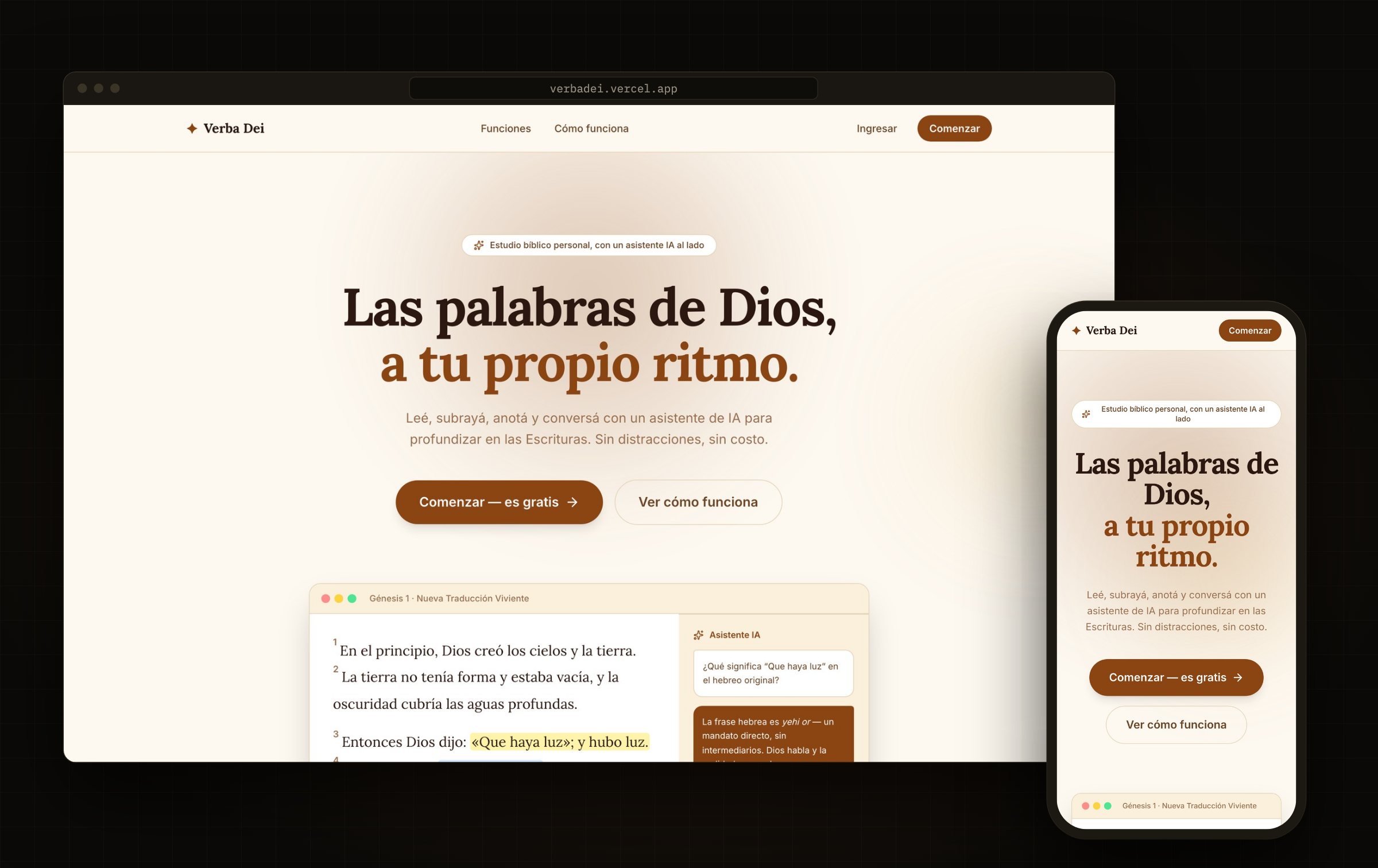
The brief
Bible apps tend to land at one of two extremes: lightweight readers stuffed with ads, or commentary suites where the text itself gets buried under layers of critical apparatus. Verba Dei aims at the middle that was missing — a clean reader built for sustained reading, where highlighting, annotating and asking all land on the same verse without ever switching screens.
My role: product, design and full-stack development Scope: responsive web + installable PWA Context: a personal product, 100% free, no ads, no subscription Tech stack: Next.js 16 · React 19 · TypeScript · Supabase · Tailwind CSS v4 · Anthropic Claude API · API.Bible URL: verbadei.vercel.app Repo: github.com/4u6u570/verbadei
Architectural decisions
Licensed text, not scraped. Scripture comes from API.Bible (scripture.api.bible), with two Spanish translations: Reina Valera 1909 and Nueva Traducción Viviente. A product meant to be distributed publicly cannot rest on text of murky provenance, so licensing was a requirement before it was a feature.
Supabase as the whole backend. Postgres + Auth (email and Google) + Row Level Security. Annotations are the most personal data in the app: every highlight, note and bookmark is locked down by RLS at the row level, not by client-side logic. If the policy does not allow it, the query returns nothing — privacy never depends on an if in the frontend.
Range-level highlighting, not just verse-level. Marking a whole verse is the easy case; the one that matters in real study is marking the exact phrase. That means persisting offsets inside the text and rehydrating them when the chapter re-renders, rather than storing a simple reference to a verse id.
The AI accompanies, it does not replace. The assistant lives in a panel beside the text and always receives the selected verse as context. It never rewrites or substitutes Scripture: it answers about historical context, original language and cross-references. That is as much a product decision as a technical one — the text is the center, the AI is the margin.
PWA instead of app stores. With next-pwa and a service worker, the app installs on phone or desktop without going through the App Store or Play Store: no review, no commission, no distribution friction for a free product.
A custom cron to keep the free tier alive. Free Supabase projects pause on inactivity. I wrote a cron that hits an /api/health endpoint and surfaces the ping status in the admin sidebar, so the problem is visible before a user runs into a sleeping database.
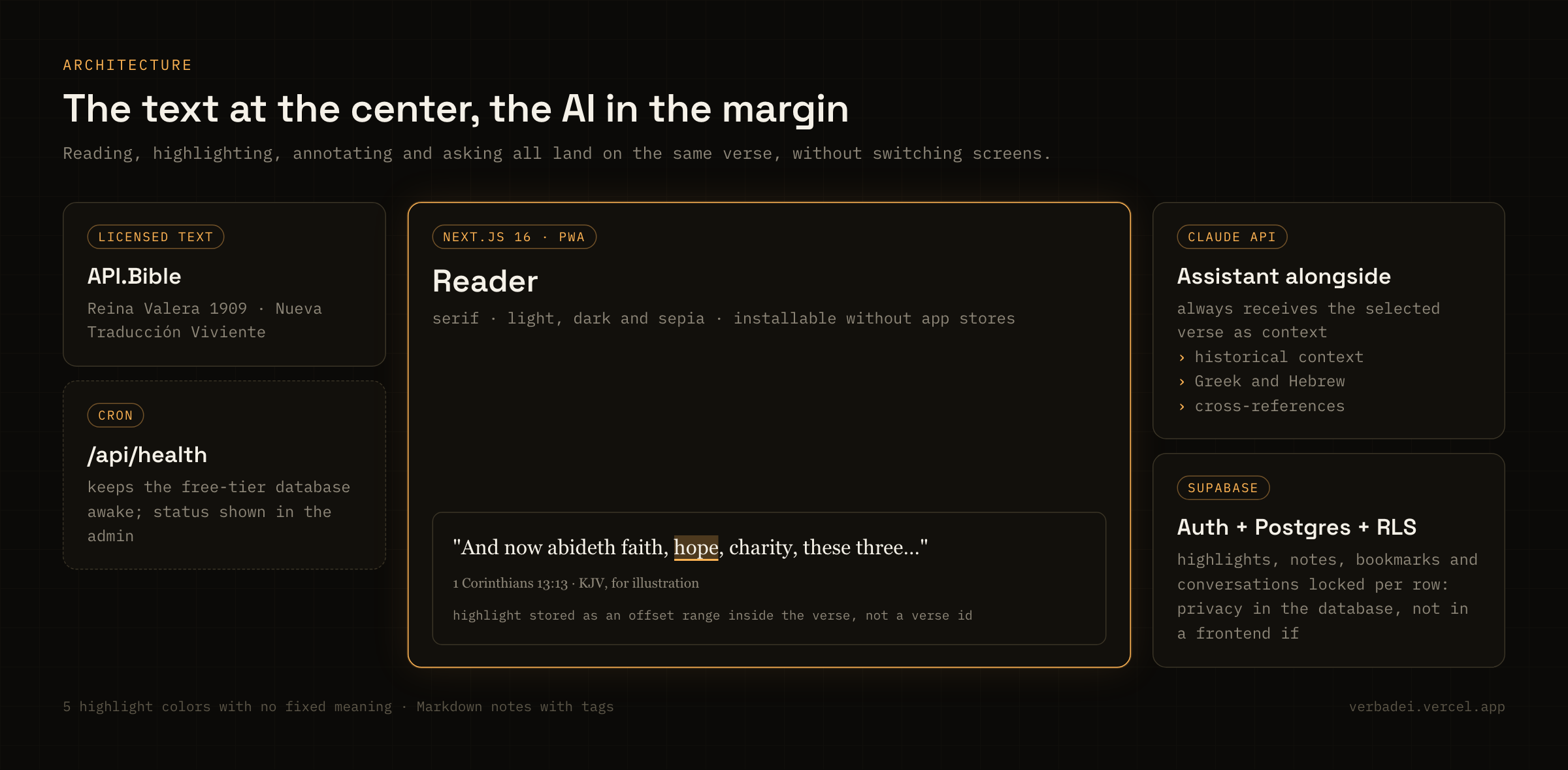
Caption: Each piece has one job: the text is licensed, privacy lives in the database and the AI answers from the side.
Five colors, five purposes
The highlighting system has five colors and none of them ships with an assigned meaning. Promises, commands, prophecies, open questions — whoever is studying defines the legend. That is the difference between imposing a method and supporting the one a person already has.
Two annotation layers sit on top of that: short notes next to each verse, and long-form study notes in Markdown with tags, for when what you are building is no longer a margin comment but an argument of your own.
 — Caption: Five colors with no fixed meaning, and the whole flow reduced to three steps.
Craft details
Serif type and three modes. The reader uses a serif for the same reason a printed book does: it holds up under long reading better than an interface sans. Light, dark and sepia modes, because Bible study happens at six in the morning as much as at midnight.
Words of Jesus. A section that automatically groups verses marked as Jesus's direct speech and renders them in red — the typographic convention of red letter editions, treated as its own view rather than as decoration.
Full-text search filterable by book and testament, plus reading progress and bookmarks to pick up where you left off.
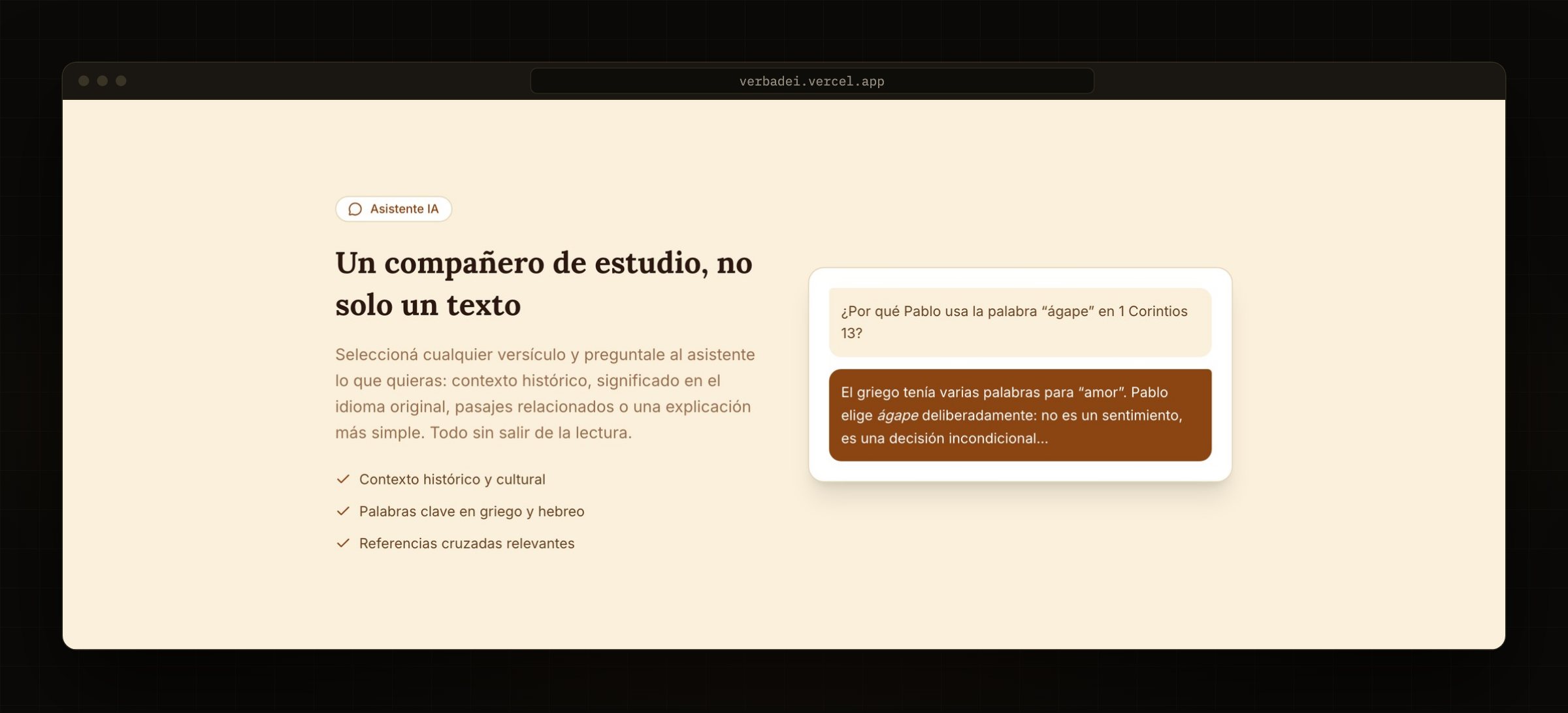 — Caption: The assistant answers beside the text — historical context, Greek and Hebrew, cross-references — without pulling anyone out of the reading.
Key features
Reader: book and chapter navigation · two translations (RV1909 and NTV) · serif typography · light, dark and sepia modes · reading progress and bookmarks.
Study: 5-color highlighting per verse or per exact phrase · per-verse notes · long-form Markdown study notes with tags · filterable full-text search · Words of Jesus section.
AI: Claude assistant embedded in the reader · historical and cultural context · key words in Greek and Hebrew · cross-references · conversations persisted per passage.
Platform: email and Google auth · per-user RLS · installable PWA with service worker · admin panel with donation settings (bank alias, PayPal, crypto) and backend health monitoring.
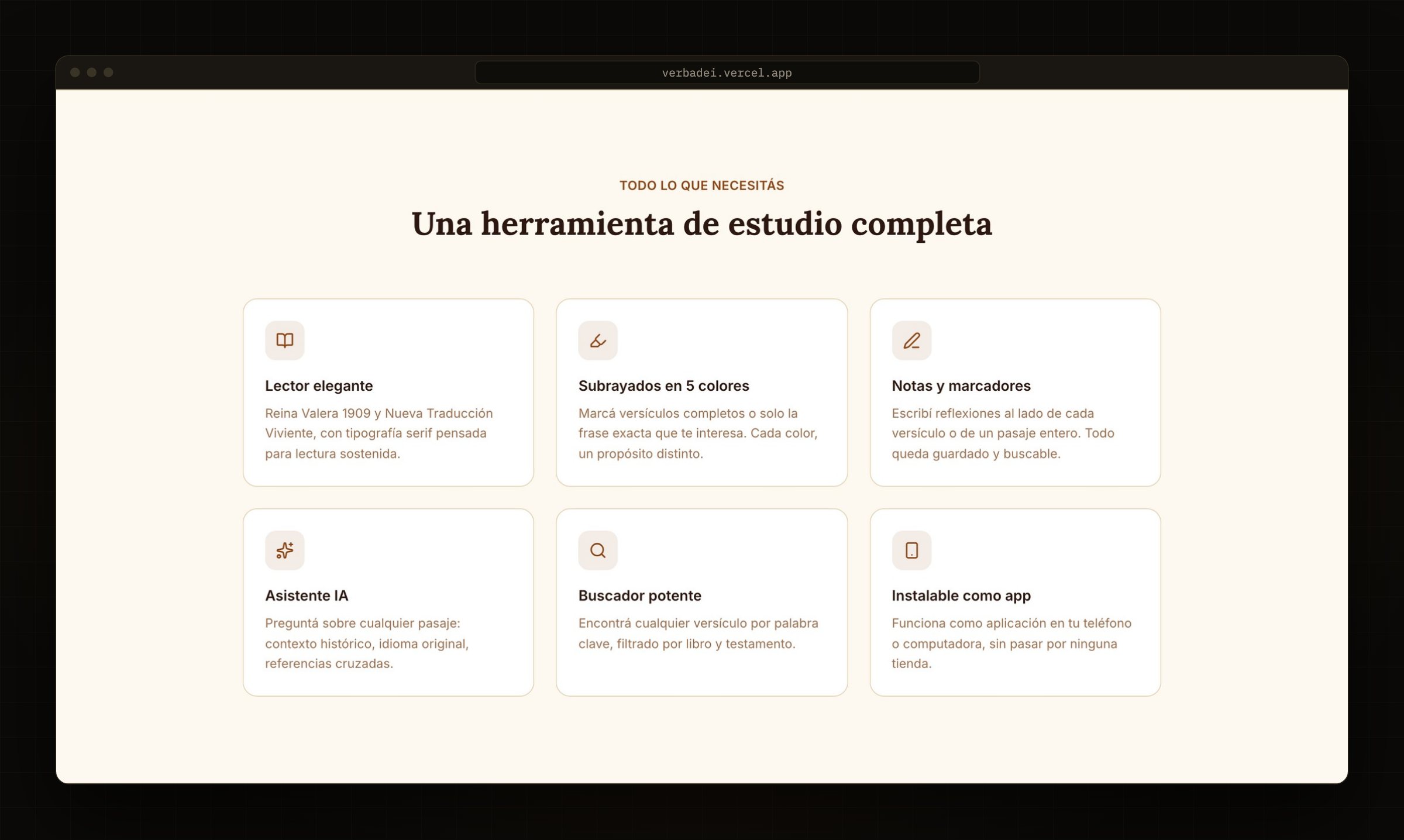 — Caption: The six pieces of the product, as presented on the landing page.
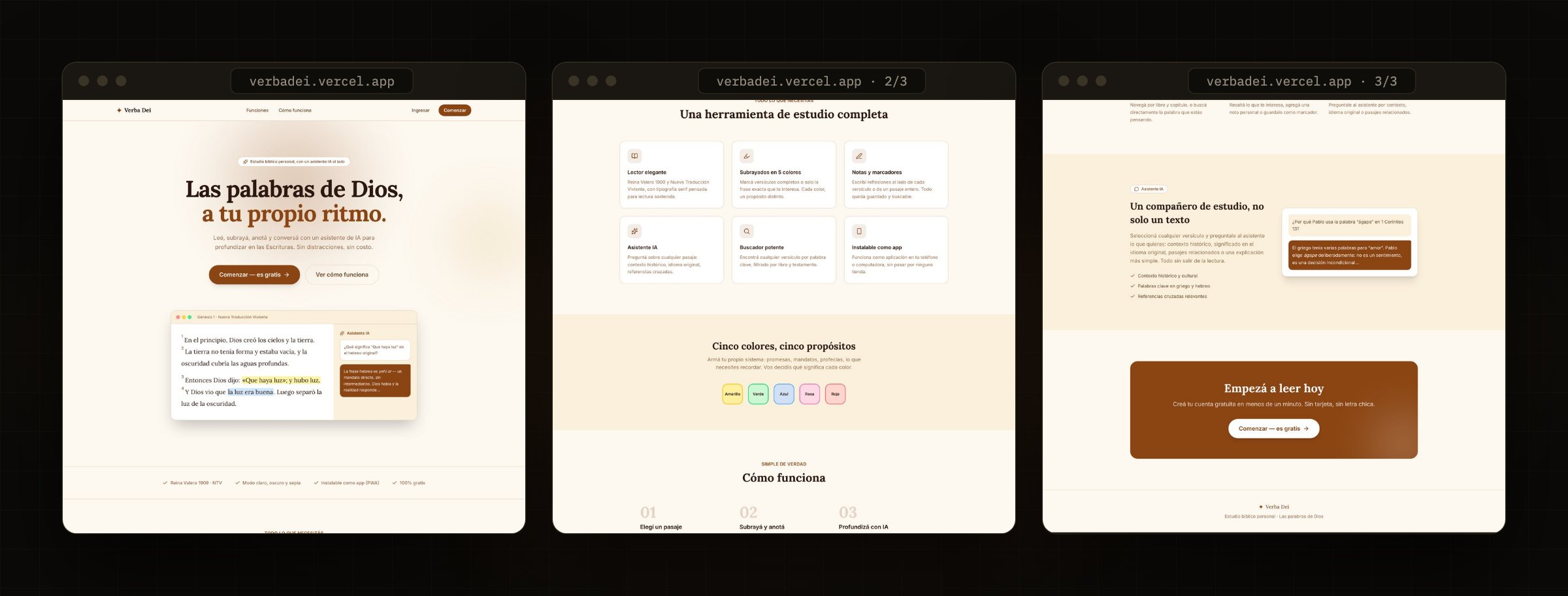
Caption: The full landing page, top to bottom: read it left to right.
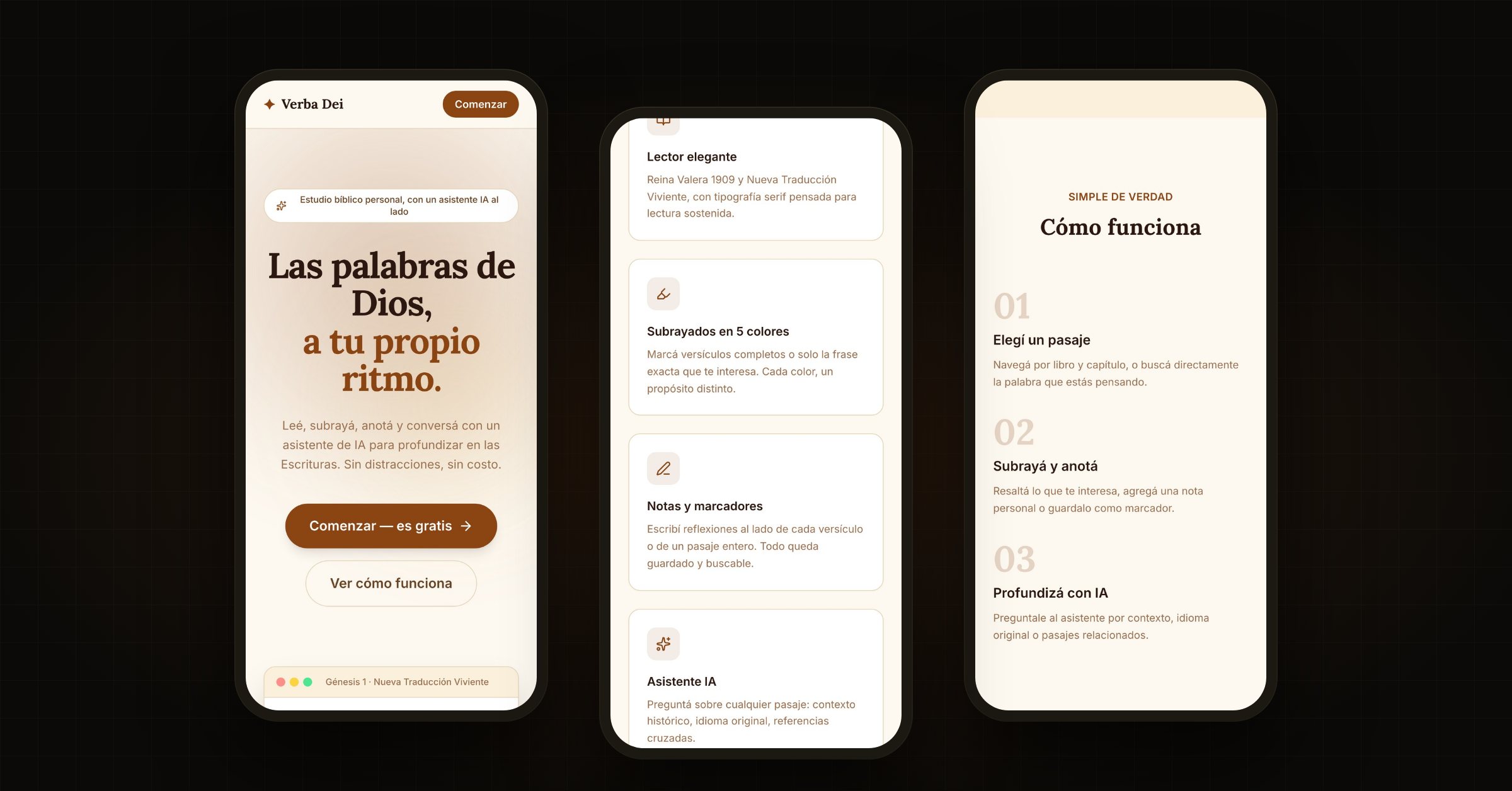
Caption: The same page on a phone, built for the thumb.
Outcomes
A personal product in production — free and ad-free — end to end: product, design and code.
A reader where reading, highlighting, annotating and asking all happen on the same text, without tool-switching.
Personal data protected by RLS in the database, not by frontend checks.
Distribution without stores: installable as an app straight from the browser.
Free-tier infrastructure kept alive by a custom cron, with its status visible in the admin.